8 min to read
Build a RAG Pipeline From Scratch in Python
Part 2 of 2: Working code, no frameworks, nothing hidden
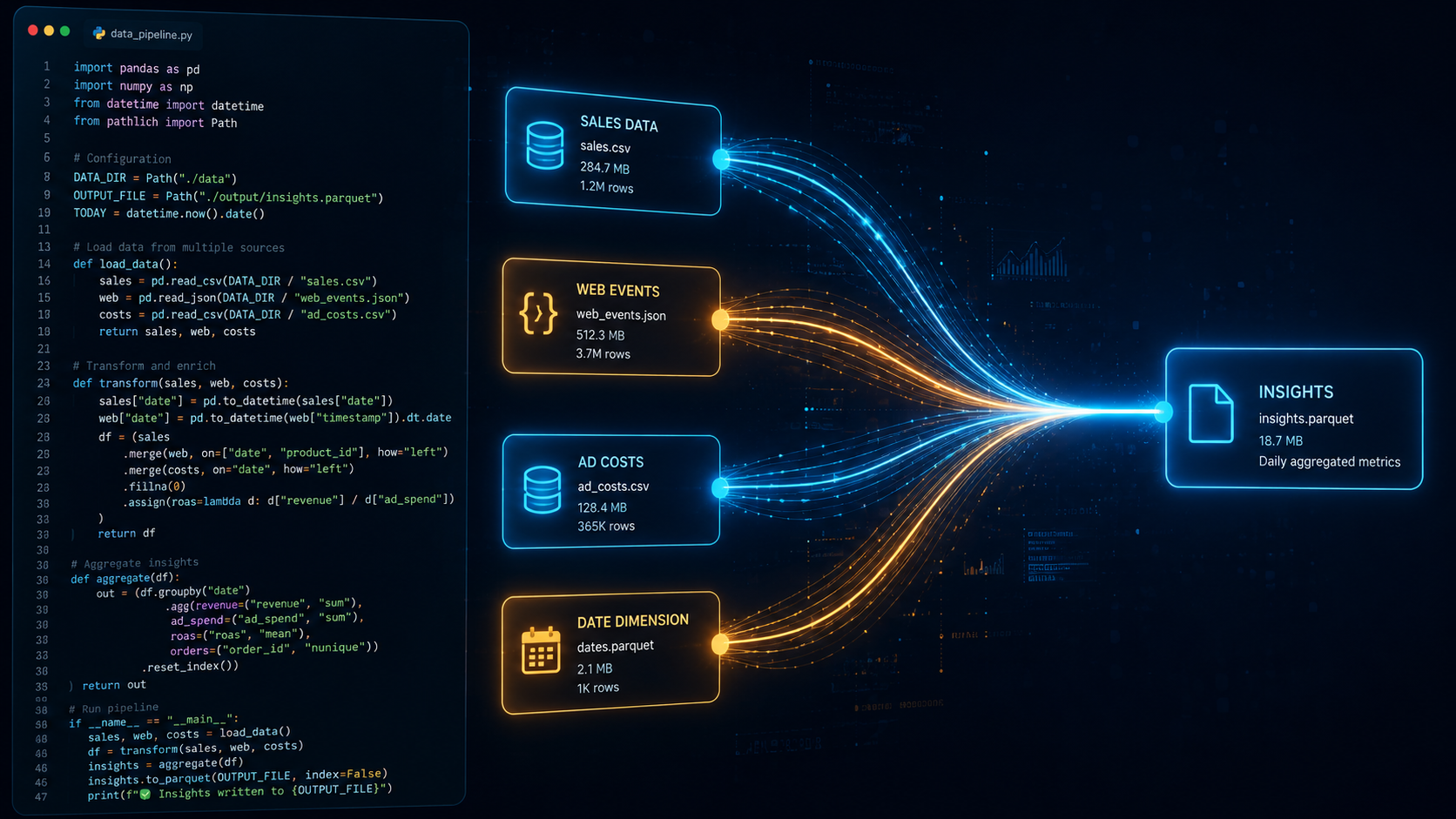
In Part 1 we covered what RAG is and why it exists. The short version: it’s how you give an AI access to your specific data without retraining it. You retrieve relevant documents at query time, pass them as context, and let the model answer from real information instead of guessing.
Now we build one.
No LangChain. No abstractions hiding what’s actually happening. Just Python, three libraries, and a working pipeline you can run right now.
What we’re building
By the end of this post you’ll have a script that:
- Holds a small set of documents in memory
- Embeds each one into a vector and stores it in ChromaDB
- Takes a question, finds the most relevant documents, and retrieves them
- Passes those documents plus the question to Claude
- Prints a grounded, specific answer
Here’s what the output looks like:
Question: How does RAG work?

Answer: RAG works by combining a retrieval step with a language model.
When you ask a question, it first searches a vector database for the
most relevant chunks of text, then passes those chunks to the LLM as
context. The model answers based on that context rather than relying
on memory alone...
Install the dependencies
Three libraries. That’s the whole stack.
pip install chromadb sentence-transformers anthropic
- chromadb — vector database that runs entirely in memory, no server needed
- sentence-transformers — converts text into embeddings locally, no API key required
- anthropic — Claude API client
You’ll also need an ANTHROPIC_API_KEY environment variable set. If you’ve used the Claude API before, you already have this.
The documents
We’re starting with hardcoded strings. In a real pipeline these would come from files, a database, or a web scrape — but the mechanics are identical. The source doesn’t matter; what matters is the loop.
documents = [
    "RAG stands for Retrieval-Augmented Generation. It combines a retrieval system with a language model. When a question is asked, relevant documents are retrieved and passed to the LLM as context.",
    "ChromaDB is an open-source vector database. It stores embeddings and allows fast similarity search. You can run it locally without any server setup.",
    "Sentence transformers convert text into dense vector embeddings. Similar pieces of text produce similar embeddings, which allows a vector database to find relevant matches.",
    "The Claude API is developed by Anthropic. It provides access to models like claude-sonnet-4-6. You authenticate using an API key stored as an environment variable.",
    "Vector embeddings are numerical representations of text. Similarity between embeddings reflects similarity in meaning, not just keyword overlap.",
    "Chunking is the process of splitting large documents into smaller pieces before embedding. Smaller chunks improve retrieval accuracy because each one stays focused on a single idea.",
]
Embed and store
Load the embedding model, convert every document into a vector, and add them to a ChromaDB collection.
import chromadb
from sentence_transformers import SentenceTransformer

model = SentenceTransformer("all-MiniLM-L6-v2")

client = chromadb.Client()
collection = client.create_collection("docs")

embeddings = model.encode(documents).tolist()
collection.add(
    documents=documents,
    embeddings=embeddings,
    ids=[f"doc_{i}" for i in range(len(documents))],
)
all-MiniLM-L6-v2 is a small, fast model that works well for semantic search. It runs locally and downloads automatically on first use.
Retrieve
When a question comes in, embed it the same way and ask ChromaDB for the three closest matches.
query = "How does RAG work?"
query_embedding = model.encode([query]).tolist()

results = collection.query(
    query_embeddings=query_embedding,
    n_results=3,
)

retrieved = results["documents"][0]
context = "\n\n".join(retrieved)
ChromaDB compares the query vector against every stored vector and returns the most similar ones. Similarity here means semantic closeness — asking “how does retrieval work?” will still match documents about RAG even if they don’t share exact words.
Ask Claude
Pass the retrieved context and the original question to Claude. The prompt is simple: here’s what I found, now answer the question.
import anthropic

ai = anthropic.Anthropic()
message = ai.messages.create(
    model="claude-sonnet-4-6",
    max_tokens=1024,
    messages=[
        {
            "role": "user",
            "content": f"Use the following context to answer the question.\n\nContext:\n{context}\n\nQuestion: {query}",
        }
    ],
)

print("Question:", query)
print("\nAnswer:", message.content[0].text)
The model is anchored to the retrieved documents. It can’t drift into making things up because you’ve given it the source material to work from.
The full script
import anthropic
import chromadb
from sentence_transformers import SentenceTransformer

documents = [
    "RAG stands for Retrieval-Augmented Generation. It combines a retrieval system with a language model. When a question is asked, relevant documents are retrieved and passed to the LLM as context.",
    "ChromaDB is an open-source vector database. It stores embeddings and allows fast similarity search. You can run it locally without any server setup.",
    "Sentence transformers convert text into dense vector embeddings. Similar pieces of text produce similar embeddings, which allows a vector database to find relevant matches.",
    "The Claude API is developed by Anthropic. It provides access to models like claude-sonnet-4-6. You authenticate using an API key stored as an environment variable.",
    "Vector embeddings are numerical representations of text. Similarity between embeddings reflects similarity in meaning, not just keyword overlap.",
    "Chunking is the process of splitting large documents into smaller pieces before embedding. Smaller chunks improve retrieval accuracy because each one stays focused on a single idea.",
]

# Embed documents
model = SentenceTransformer("all-MiniLM-L6-v2")
client = chromadb.Client()
collection = client.create_collection("docs")
embeddings = model.encode(documents).tolist()
collection.add(
    documents=documents,
    embeddings=embeddings,
    ids=[f"doc_{i}" for i in range(len(documents))],
)

# Query
query = "How does RAG work?"
query_embedding = model.encode([query]).tolist()
results = collection.query(query_embeddings=query_embedding, n_results=3)
context = "\n\n".join(results["documents"][0])

# Answer
ai = anthropic.Anthropic()
message = ai.messages.create(
    model="claude-sonnet-4-6",
    max_tokens=1024,
    messages=[
        {
            "role": "user",
            "content": f"Use the following context to answer the question.\n\nContext:\n{context}\n\nQuestion: {query}",
        }
    ],
)

print("Question:", query)
print("\nAnswer:", message.content[0].text)
Run it, change the query, swap in your own documents. The structure doesn’t change.
What’s next
This is the foundation. Every production RAG system — no matter how large — runs the same loop: embed, store, retrieve, generate.
From here the natural extensions are loading real files instead of strings, persisting the ChromaDB collection to disk so you don’t re-embed on every run, and adding a simple UI so non-technical users can query it. Those are the pieces that turn this script into something you can actually hand to someone else.
That’s a future post. For now — run this, break it, change the documents to something you actually care about. That’s how you learn it.
This is Part 2 of a 2-part series. Part 1: What Is RAG?